Generative Art Workshop Outline
- Originally on Google Drive: Generative Art and Processing
**Part 1: Generative Art (or Artists as Gardeners)
"My topic is the shift from 'architect' to 'gardener', where 'architect' stands for 'someone who carries a full picture of the work before it is made', to 'gardener' standing for 'someone who plants seeds and waits to see exactly what will come up'.” —Brian Eno
1. What is Generative Art?
Randomness is one type of autonomous system. By incorporating chance into a piece of code art, you get a different, completely unique piece of art each time you run your script, load your page, or respond to some user interaction.
The artist controls both the randomness and the order in the art.
The artist engages in a feedback loop where they are constantly tweaking a system to produce more desirable and often more surprising results.
2. Who has incorporated these ideas into their art?
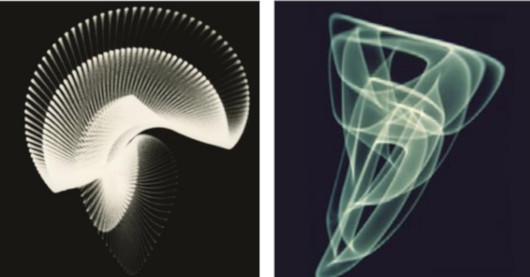
Ben Laposky, 1914-2000, an American mathematician, artist and draftsman from Cherokee, Iowa, who has been credited as the pioneer of electronic art, making the first computer graphics used an oscilloscope with sine wave generators and various other electrical and electronic circuits which were then recorded using still photography
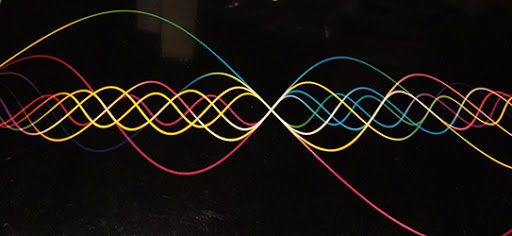
John Whitney Sr., 1918-1995, is considered to be one of the fathers of computer animation

Herbert W. Franke, b.1927. Created pioneering electronic abstractions and wrote the earliest comprehensive text on the subject
Lillian Schwartz, b. 1927. Using human-size mainframe computers and magnetic tape storage units, a clunky light pen, cathode-ray tube monitors, and film reels Lillian Schwartz made experimental films and graphics at Bell Laboratories in the 1970s.

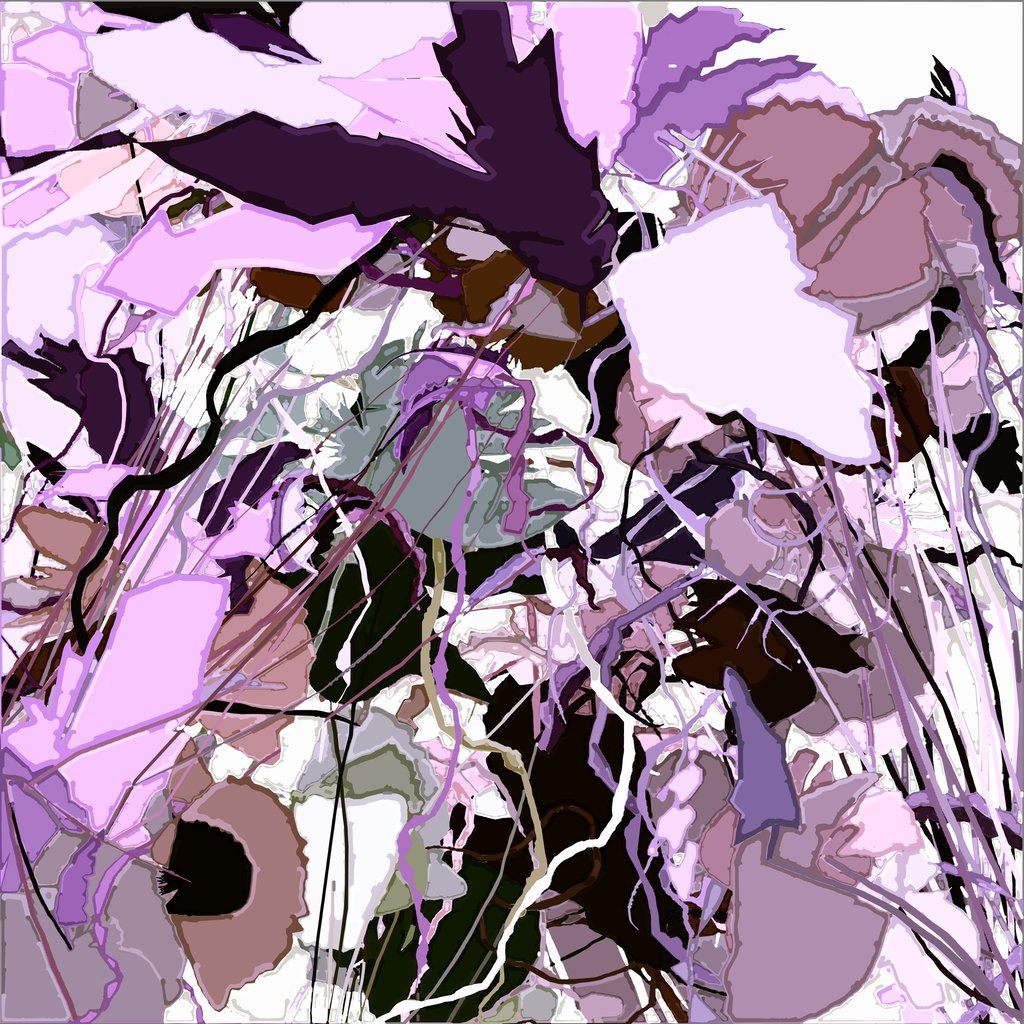
Harold Cohen, b. 1928, an artist and engineer whose work defined the first generation of computer-generated art. His compositions were plotted by an AI system and hand-colored. His system, AARON, is one of the longest-running, continually maintained AI systems in history.
Vera Molnar learned FORTRAN and BASIC to pioneered pen plotter art in the 1970s.

In 2006, musician and visual artist Brian Eno designed a software art program called 77 Million Paintings that generates compositions, practically never repeating itself.

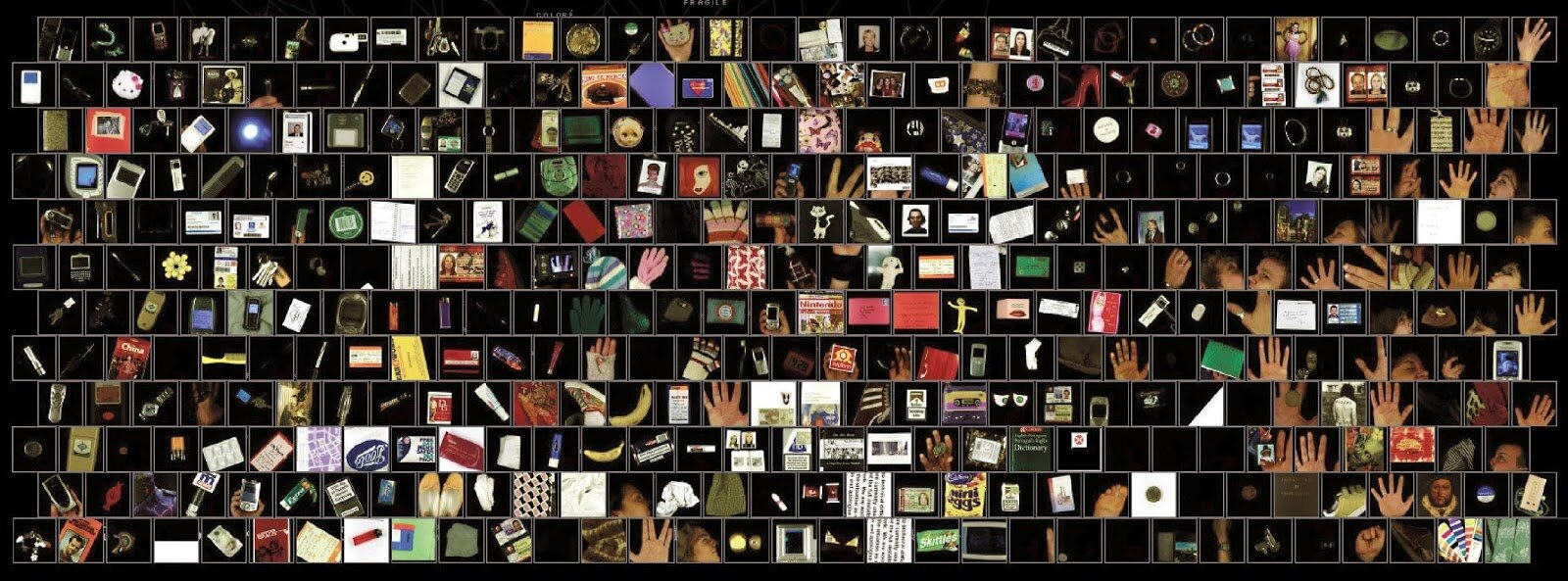
George Legrady's projects focus on computational media arts, data visualization, and photography
In 1998, Mark Napier created Shredder, a "web browser" that transformed the underlying code of websites, decomposing them into abstracted, shredded compositions

John Maeda

Mary Flanagan, b. 1969. “Rootwords”, a software art project, the goal of which is to “grow” a new language from English root words using common prefixes, suffixes, and other components. Users click the root words to grow an organism of variations and linguistic complexity.

Charles Csuri, pioneer digital animator

Manfred Mohr


Ben Fry, b. 1975, is the other co-creator of Processing
Joshua Davis, b. 1971, American designer, technologist, author and artist in new media.

Manolo Gamboa Naon is an Argentinian artist who creates art using Processing.

Chance
- Randomness is one type of autonomous system. By incorporating chance into a piece of code art, you get a different, completely unique piece of art each time you run your script, load your page, or respond to some user interaction.
- The artist controls both the randomness and the order in the art.
- The coder-artist engages in a feedback loop where they are constantly tweaking a system to produce more desirable and often more surprising results.
- Random sources:
- Random number algorithms
- Noise algorithms
Techniques in Algorithmic Art (source: Form and Code)
5. Repetition:
6. Recursion:


-
Transformation:
-
Simulations (particle systems, networks, etc):
-
Visualization (data, mathematical/scientific concepts):


Processing
Processing is a coding language designed for visual artists.
Projects using Processing include:
- Strata #3 by Quayola
- Oasis by Yunsil Heo
- cf city flows by Till Nagel & Christopher Pietsch
- Process 6 (Image 4) by Casey Reas
Making shapes
-
Pixels
-
Canvas aka “window”
size(400, 400); -
functions
-
Color
- Background, Stroke, fill,
- 0 - 255 (black to white)
-
Variables are used for storing values
- int - integers, number without a decimal point
- float - floating-point number, numbers with a decimal point
- String -
-
Saving your work (pics or it didn’t happen)
- PDF
size(400, 400, PDF, "output.pdf");
- PDF
-
JPG, TIFF, or PNG
saveFrame("output.png"); -
Animation
- Setup() (runs one time to establish size, variables)
void setup() {
	// Setup runs just once.

	// Your Code goes here
}
- Draw loop (background, rect, ellipse, ) animates until told to stop
void draw() {
	// Code here loops until told to stop
}
- Interaction
MouseX,MouseYfor mouse position- Mousepress event
void mousePressed() {
  // Do something when any mouse button is clicked
}
- Repetition and iteration
- For statements
- Do while
- Conditional
- If
- switch
- Expanding
- Libraries to expand the possibilities and link Processing to other worlds
- Break for Questions
- Links:
- OpenProcessing is an open source repository for Processing sketches and a browser-based programming environment
- Processing Reference
- Processing Tutorials
- For Your Processing
- Processing Subreddit
- CreativeApplications.Net
- Vimeo Processing Group
- Studio Sketchpad
- Form and Code in Design, Art, and Architecture (code examples from book)